Direct Answer
Siri AI is designed to help users find information across supported personal content, including messages, emails, and photos. This can make everyday searches easier, especially when important details are buried in older conversations or saved files.
However, using an AI assistant to search personal information requires more than knowing which language it supports. Users should understand what Siri can access, how app permissions affect its results, and why important information should still be checked against its original source.
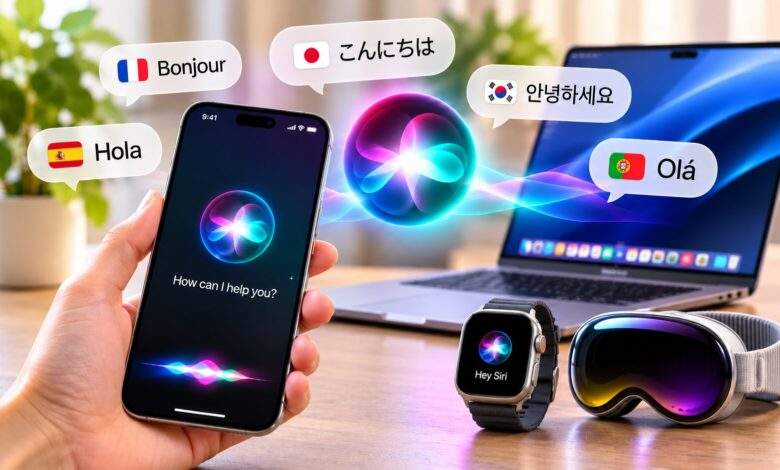
Apple’s expanded Siri AI language support makes the assistant available in English, French, Japanese, Korean, Portuguese, and Spanish in beta. The update arrived on October 26, 2026, alongside Apple’s 27.2 software releases.

Personal Context Should Be Tested Deliberately
Traditional voice commands generally rely on users knowing exactly what to ask. Siri AI is designed to make interactions more conversational and help connect requests with relevant information already available on supported devices.
For example, someone might want to locate an old hotel confirmation without remembering its exact subject line. Another user might want to find pictures from a particular trip.
Instead of manually checking several apps, users can describe what they are looking for and ask Siri to help locate it.
The usefulness of this feature depends on the information involved, the supported app integration, and the permissions configured on the device. It should not be assumed that Siri can search every item in every application.
How to Check Whether Siri Finds the Right Information
A personal-context search should be evaluated against information you can already verify.
Try a simple exercise:
- Choose a recent email, message, or photo that you can locate manually.
- Ask Siri AI to find the same item.
- Compare the result with the original source.
- Check names, dates, and other important details.
- Review whether the result includes information that was not relevant to your request.
This approach helps identify whether the assistant found the correct item and interpreted the request properly.
For example, if you ask for a hotel confirmation, make sure the result refers to the correct reservation rather than another message about the same destination.
A search result should be treated as a convenient starting point, not automatic proof that every detail is accurate.
Understand the Privacy Settings Behind Personal Searches
Personal-context features naturally raise questions about data access and privacy.
Apple says Siri AI is built on Apple Intelligence and uses on-device processing where possible. Requests that require server-side processing can use Private Cloud Compute.
Apple describes Private Cloud Compute as a system designed to process requests without storing personal data or making it accessible to Apple or other parties.
Users should also review the permissions granted to individual apps. These settings help determine what information is available to supported features.
A sensible approach is to give an assistant access only where it is necessary. If a feature does not need information from a particular app, consider whether that permission is appropriate.
Privacy also depends on the individual applications involved, so reviewing their own settings and policies remains important.
What Else Can the Updated Siri AI Do?
Personal information searches are only one part of the assistant’s updated capabilities.
1. Handle More Natural Conversations
Siri AI is designed to understand conversational requests and follow-up questions. Users can continue a discussion without treating every prompt as a completely separate command.
2. Complete Supported Actions Across Apps
The assistant can draft emails, edit photos, share groups of photos, and perform other supported actions. Users should review generated content, recipients, dates, and attachments before completing an action.
3. Respond to What’s on the Screen
On-screen awareness allows Siri to answer questions or perform supported actions related to the content displayed on a device.
4. Provide Broader Information
Siri AI can draw on broader world knowledge to answer questions. However, users should independently verify important information, particularly when it concerns finances, travel, or other significant decisions.
The availability of these features varies by device, app, language, and region.
Which Languages Does Siri AI Support?
The current Siri AI beta supports six languages:
- English
- French
- Japanese
- Korean
- Portuguese
- Spanish
Apple announced the five additional languages on October 26, 2026. It also plans to add Traditional Chinese, Norwegian, Turkish, and Vietnamese by the end of 2026.
Filipino is not included in Apple’s announced list, and the company has not specified a release date for Filipino-language support.
It is important to distinguish Siri AI from Apple Intelligence as a whole. Apple Intelligence supports a broader range of languages for certain features, but that does not mean every Siri AI function works in all those languages.
What You Need to Access Siri AI
Siri AI is available in beta through Apple’s newer operating system releases, including iOS 27.2, iPadOS 27.2, macOS 27.2, watchOS 27.2, and visionOS 27.2.
Compatible hardware is required. Apple’s listed devices include iPhone 15 Pro and later, supported iPhone 16 models and newer devices, iPhone Duo, iPhone Air, iPad mini (A17 Pro), iPads with M1 or later, MacBook Neo, Macs with M1 or later, and Apple Vision Pro.
Apple Watch requires a paired iPhone with Siri AI enabled.
Users must also set their device language and Siri language to the same supported option. The beta option may not appear if the device, language, or Apple Account region does not meet the requirements. Apple also says users may encounter a waitlist during periods of high demand.
Regional restrictions apply. Siri AI is unavailable on iOS, iPadOS, and watchOS in the European Union, although macOS 27 and visionOS 27 are supported there under Apple’s stated requirements. The feature is also unavailable to users under 13 and to users with a mainland China Apple Account region.
For the latest requirements and setup instructions, consult Apple Support’s guide to Siri AI.
Frequently Asked Questions
Can Siri AI search personal messages and emails?
It can help locate information across supported personal content, including messages and emails. Access depends on the feature, app integration, and device settings.
How can I check whether Siri found the correct information?
Compare the result with an item you can locate manually. Check names, dates, and the original message, email, or photo before relying on the result.
Does Apple store everything Siri AI searches?
Apple says its Private Cloud Compute architecture is designed not to store personal data used for requests. Some processing also takes place directly on the device.
Which languages does Siri AI support?
The beta supports English, French, Japanese, Korean, Portuguese, and Spanish.
Does Siri AI support Filipino?
No. Filipino is not included in Apple’s announced language list.
Is Siri AI available in the European Union?
It is unavailable on iOS, iPadOS, and watchOS in the EU. Apple says macOS 27 and visionOS 27 are supported there under its stated requirements.
Can children use Siri AI?
Apple states that Siri AI is unavailable to users under 13.
Final Thoughts
Siri AI’s personal-context features can make it easier to find information without manually searching through several applications. However, convenience should not replace careful review of permissions and search results.
Start with information you can verify, check the original source, and review which apps have access to relevant features. As Siri AI languages expand, understanding these privacy and accuracy considerations will remain just as important as knowing whether your preferred language is supported.
Related reading: On-device AI privacy; Context-aware AI requests.